Manage API Keys
API keys authenticate your applications with the Scope API. The SDK uses these keys to obtain JWT tokens for secure access to prompt data. This guide covers creating, viewing, and revoking API keys.
API Key Components
Each API key consists of three parts:
| Component | Description | Example |
|---|---|---|
| Organization ID | Your tenant identifier | org_01ABC123 |
| API Key | The public key identifier | key_01XYZ789 |
| API Secret | The private credential | secret_01DEF456... |
All three values are required by the SDK:
export SCOPE_ORG_ID="org_01ABC123"
export SCOPE_API_KEY="key_01XYZ789"
export SCOPE_API_SECRET="secret_01DEF456..."
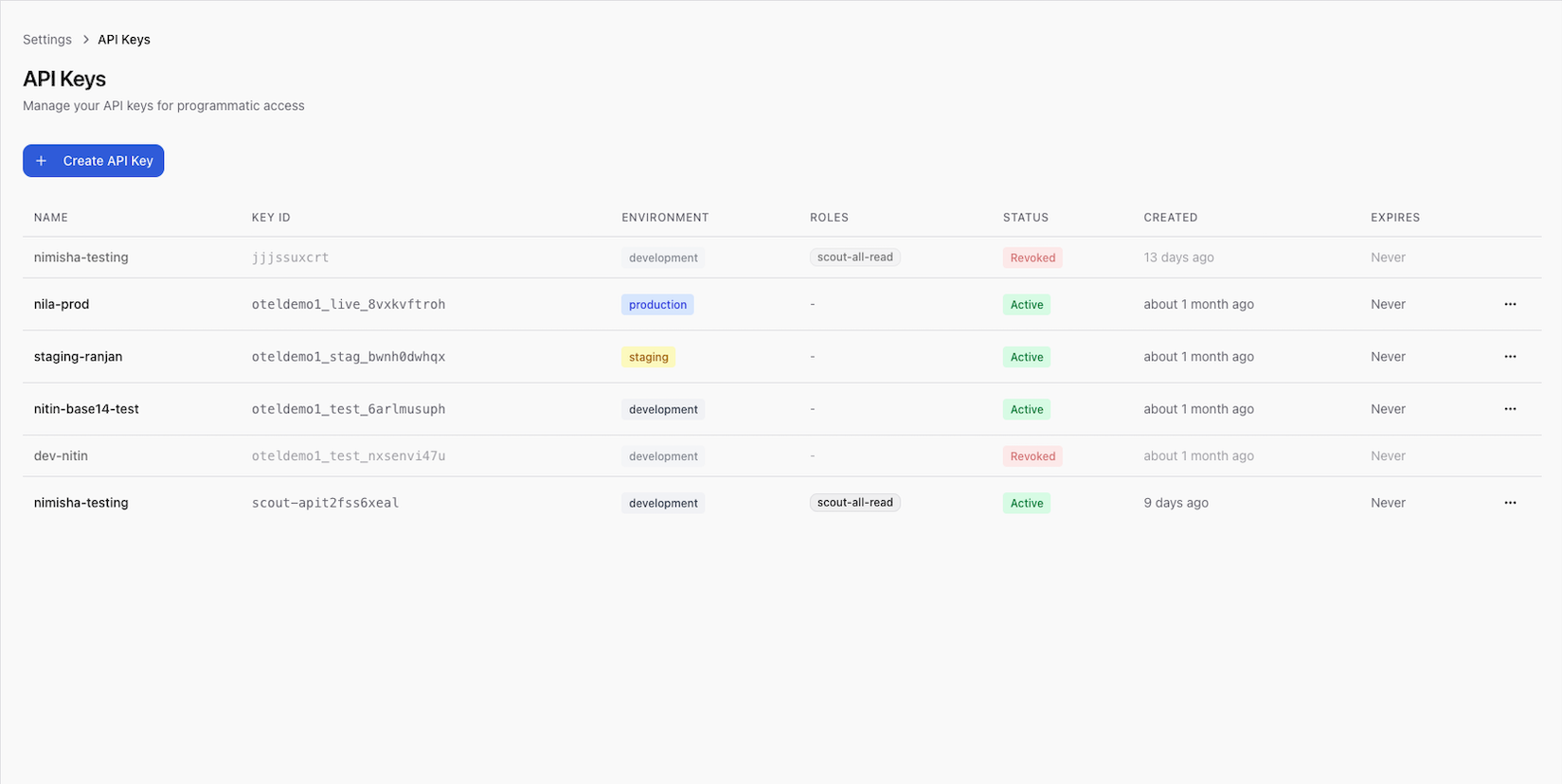
Create an API Key
- Go to Settings > API Keys
- Click Create API Key
- Enter a name for the key (e.g., "Production App", "CI/CD Pipeline")
- Click Create
- Copy the API Secret immediately
The API secret is shown only once at creation time. Copy it and store it securely (e.g., in a secrets manager or environment variable). If you lose the secret, you must create a new API key.
View API Keys
The API keys list shows:
| Field | Description |
|---|---|
| Name | The label you assigned |
| API Key | The public key identifier (always visible) |
| Created | When the key was created |
| Last used | When the key was last used for authentication |
| Status | Active or revoked |
The API secret is never shown after creation.
Revoke an API Key
To revoke an API key:
- Go to Settings > API Keys
- Find the key in the list
- Click Revoke
- Confirm the action
Revoking an API key immediately invalidates it. Any application using this key will lose access to the Scope API. Make sure you've updated your application to use a new key before revoking the old one.
Best Practices
Key Rotation
- Rotate API keys periodically (e.g., every 90 days)
- Create the new key before revoking the old one to avoid downtime
- Update environment variables in all deployments before revoking
Key Separation
- Use separate keys for each environment (development, staging, production)
- Use separate keys for each application or service
- Name keys descriptively (e.g., "billing-service-prod", "ml-pipeline-staging")
Security
- Never commit API secrets to source control
- Store secrets in a dedicated secrets manager (e.g., AWS Secrets Manager, HashiCorp Vault)
- Set
SCOPE_API_SECRETas an environment variable, not in configuration files - Monitor the "Last used" timestamp to detect unused or potentially compromised keys
SDK Authentication Flow
Understanding how the SDK uses API keys:
- The SDK reads
SCOPE_ORG_ID,SCOPE_API_KEY, andSCOPE_API_SECRETfrom environment variables - It calls the auth API (
SCOPE_AUTH_API_URL) to exchange the key/secret for a JWT token - The JWT token is used for all subsequent API requests
- The SDK automatically refreshes the token before it expires (configurable via
token_refresh_buffer)
API Key + Secret → Auth API → JWT Token → Scope API
Next Steps
- SDK Configuration — environment variables and client setup
- Security — authentication, RBAC, and data protection
- API Reference — authentication details