Create Prompt from Trace
Scope lets you turn real LLM executions captured by Scout into managed prompts. This is useful when you find a production trace with a prompt worth versioning and iterating on.
When to Use This
- You spot a well-performing prompt in your Scout traces and want to bring it under version control
- You want to create a golden set test case from a real execution
- You're migrating hardcoded prompts to Scope and want to start from actual production usage
The 3-Step Wizard
Step 1: Select a Trace
- Navigate to the Traces view in Scope (traces sourced from Scout)
- Browse or filter traces to find the execution you want to use
- Click on the trace to view its details:
- The prompt content that was sent to the LLM
- The variables used (if detected)
- The provider and model
- The LLM response
- Click Create Prompt from Trace
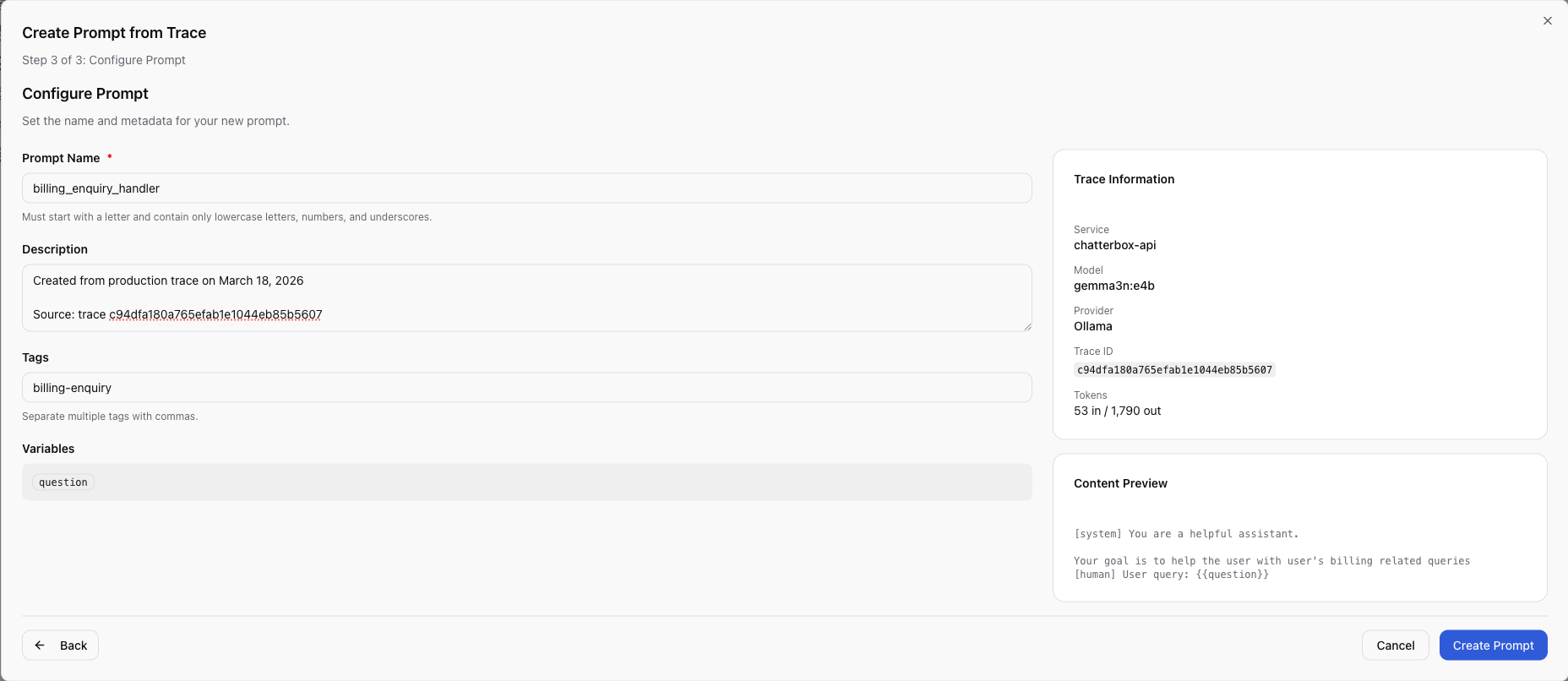
Step 2: Configure the Prompt
The wizard pre-fills fields from the trace:
- Name — enter a unique name for the new prompt
- Content — the prompt content from the trace, pre-populated. You can edit
it and add
{{variable}}placeholders where appropriate - Description — optional description of the prompt's purpose
- Tags — optional tags for organization
Review the content and convert any hardcoded values into variables. For example,
if the trace contains a specific user name, replace it with {{user_name}}.
Step 3: Create and Review
- Click Create to save the prompt
- Scope creates the prompt with
v1in draft status - Open the prompt and test it with the test panel
- When satisfied, promote to production
Adding to a Golden Set
If you want to use the trace as a test case rather than creating a new prompt:
- Navigate to the trace
- Use the Add to Golden Set option
- Select an existing golden set (or create a new one)
- The trace's input variables and output are added as a test item with
source_type: query_history
Next Steps
- Viewing Traces — browse and filter traces
- Testing Prompts — test the new prompt with golden sets
- Create & Manage Prompts — full prompt lifecycle
Was this page helpful?