RUM Errors
The Errors tab surfaces non-fatal errors reported by the app, grouped and ranked by occurrence so you can prioritize the errors affecting the most users. Use it alongside Crashes to separate fatal crashes from recoverable errors.

Error List
Table Columns
| Column | Description |
|---|---|
| Title | The error's grouping title (exception message or a custom label) |
| Kind | High-level classification badge, always JS Error for Flutter apps |
| Type | More specific classification, for example flutter_error (framework-level, such as widget build/layout errors), uncaught_error (unhandled Dart exceptions), or manual_error (explicitly reported via the SDK) |
| Occurrences | Total times this error group has been seen |
| Sessions | Number of distinct sessions affected |
| Users | Number of distinct users affected |
| App Version | Version most recently associated with the group |
| Last Seen | When the error group was last observed |
Every Dart error is badged JS Error regardless of cause, so use Type to
tell error classes apart.
The Errors filter category adds error.message, crash.kind,
crash.type, and crash.last_screen to the shared
Filters sidebar.
Error Details
Click an error group to open the detail view. The header shows the exception
message along with badges for its Type and whether it was
error.handled.
Summary Stats
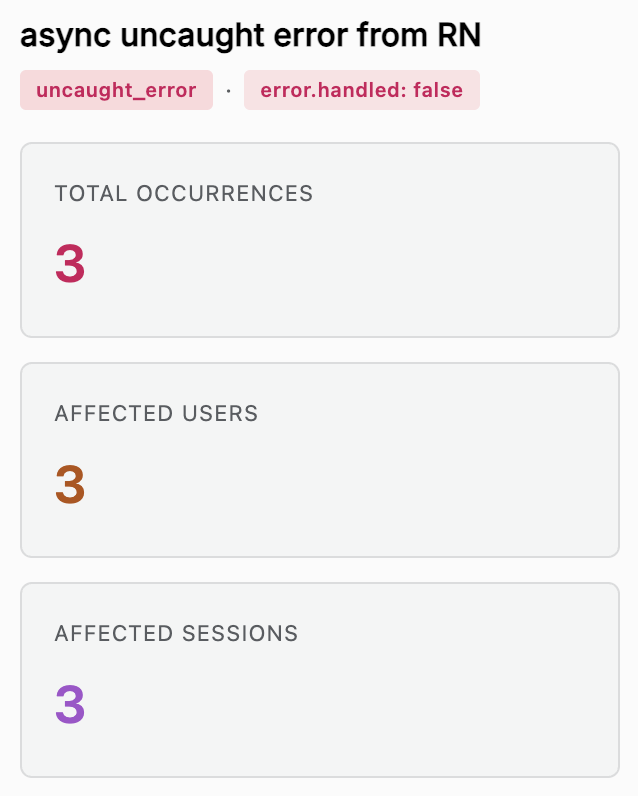
Total Occurrences, Affected Users, and Affected Sessions for the selected error group and time range.
Occurrence Breakdown
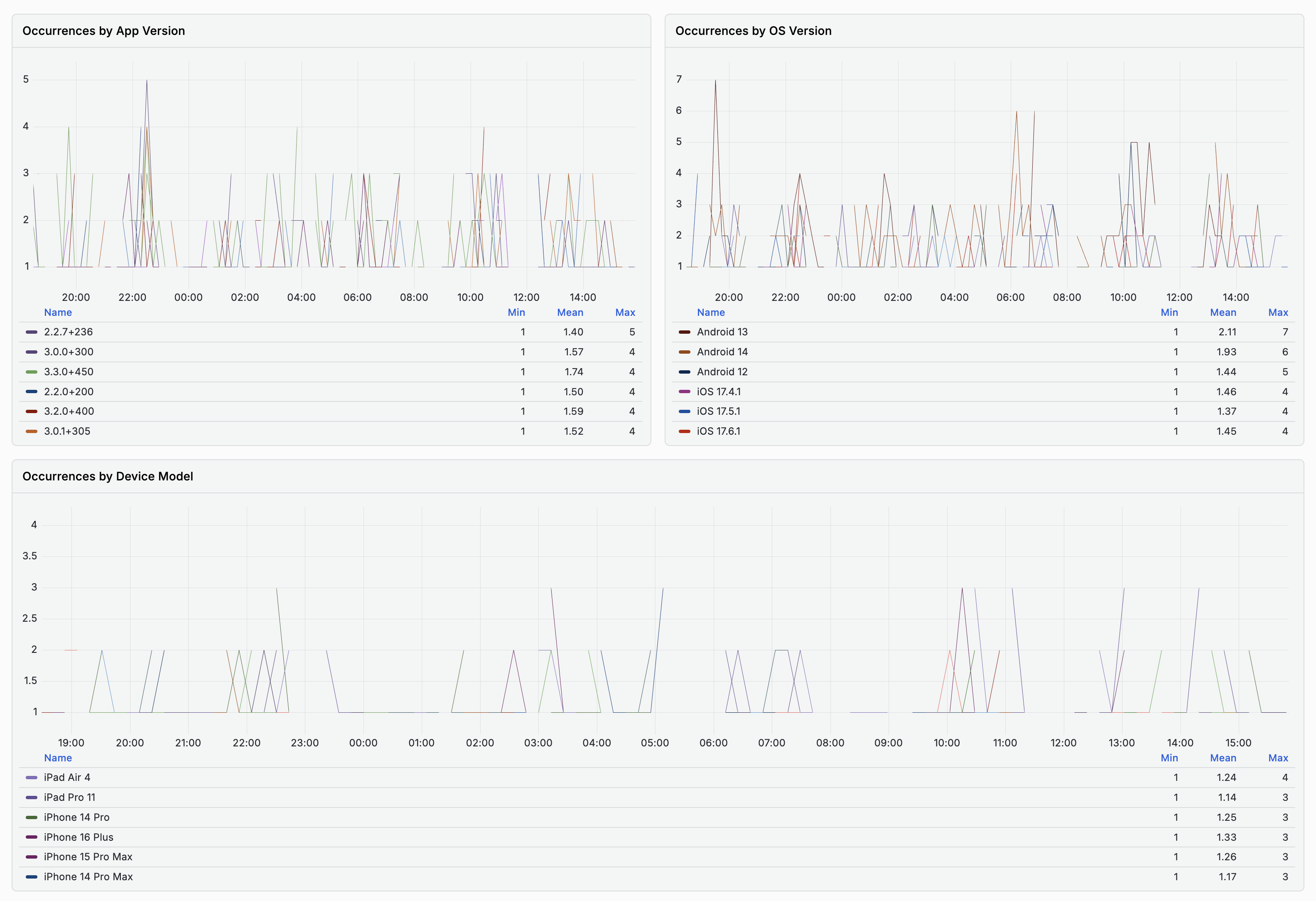
Occurrences by App Version, by OS Version, and by Device Model - the same multi-line-chart-plus-table pattern used throughout RUM, so you can see which versions or devices hit this error most.
Attributes
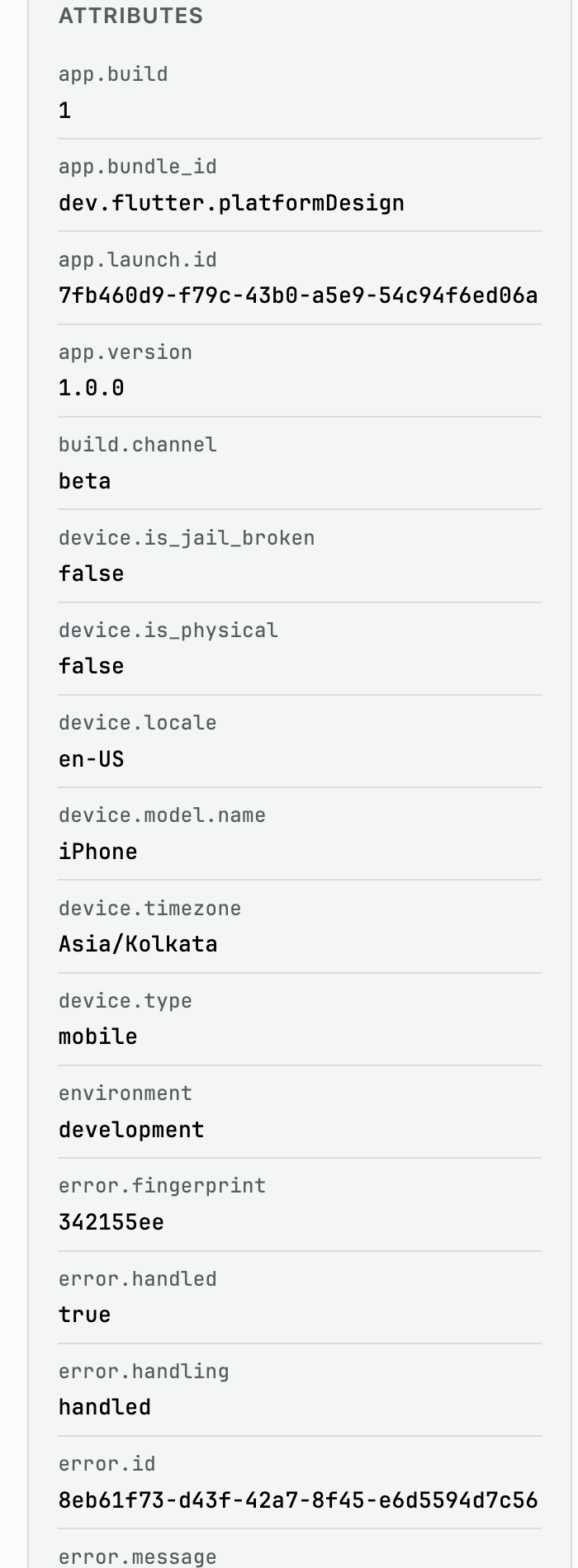
A grouped attribute panel, similar to Crashes:
| Group | Example attributes |
|---|---|
error.* | error.message, error.type, error.handled, error.source, error.source_type, error.fingerprint |
app.* | app.build, app.bundle_id, app.launch_id, app.version, build.channel |
device.* | device.model.name, device.locale, device.timezone, device.is_physical, device.is_jail_broken |
os.* | os.name, os.version, os.build |
process.* | process.runtime.name, process.runtime.version, process.num_threads |
session.* | session.id, session.type, session.start_time |
user.* | user.id, user.anonymous_id (only present once the app identifies the user) |
| custom | feature flags and experiment attributes your app attaches, for example feature_flag.v2_checkout, experiment.recommendation_model |
error.source_type shows the layer that reported the error (for example
flutter for framework-level errors, custom for manually-reported ones).
Stack Trace
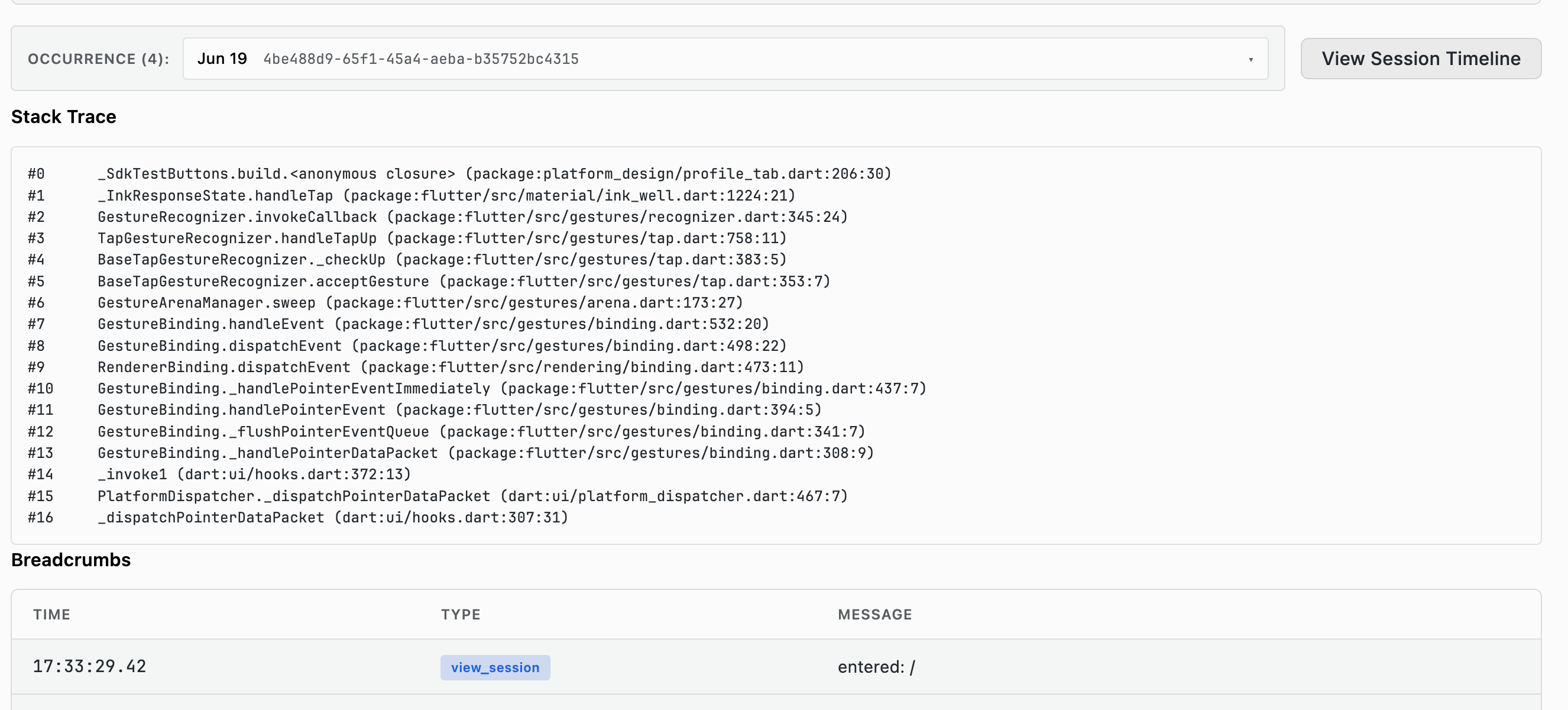
Numbered frames pointing to the exact source location, including package
paths - useful for tracing framework-level errors (flutter_error) back to
the widget or gesture handler that triggered them.
If the app is built with flutter build --split-debug-info, frames need the
matching Dart symbols/obfuscation map uploaded to resolve past raw addresses -
see scout artifacts upload.
Breadcrumbs
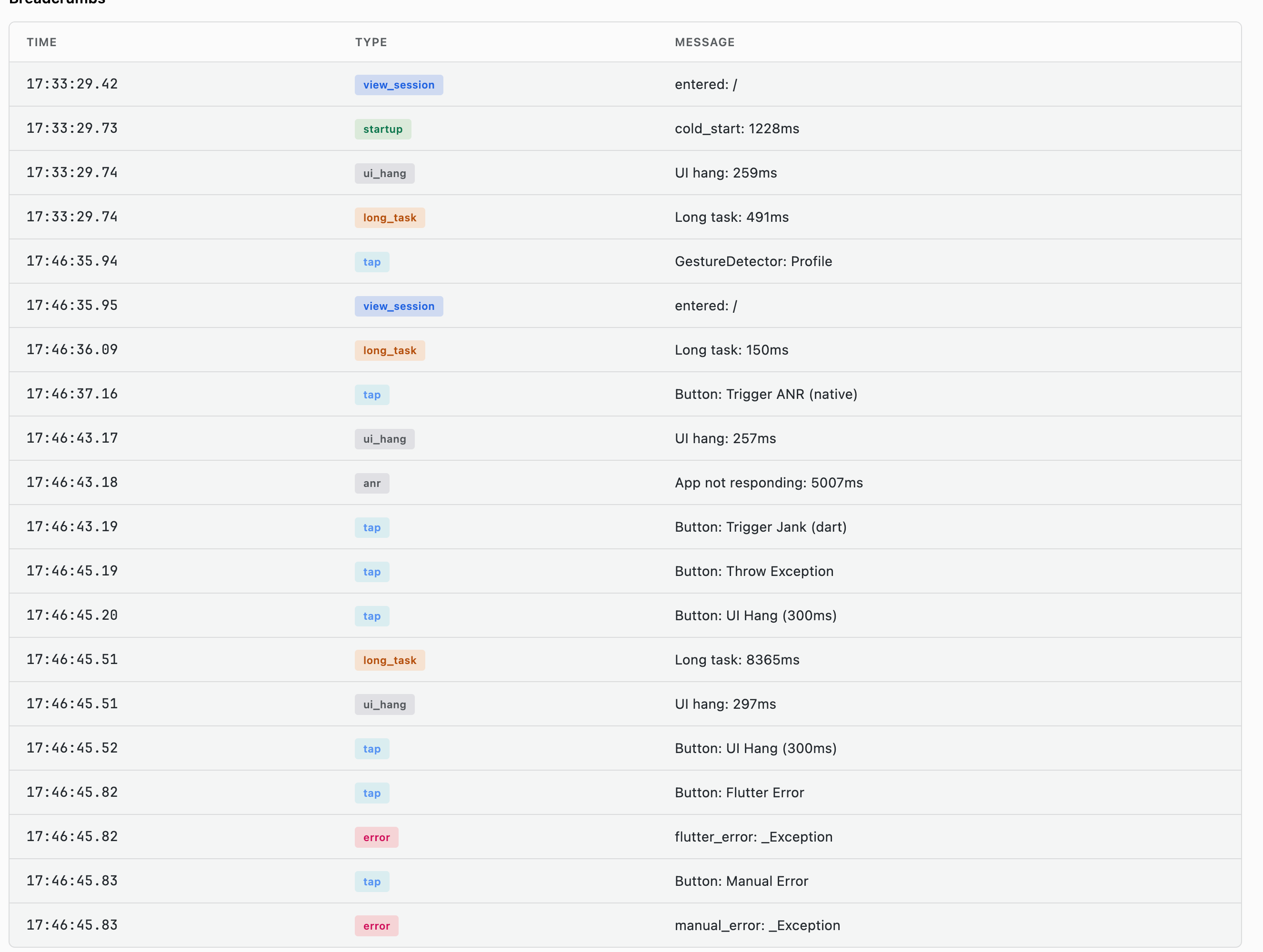
A chronological table (Time, Type, Message) of what happened before the error: session start, navigation, taps, long tasks, and UI hangs.
Affected Devices and Affected Users
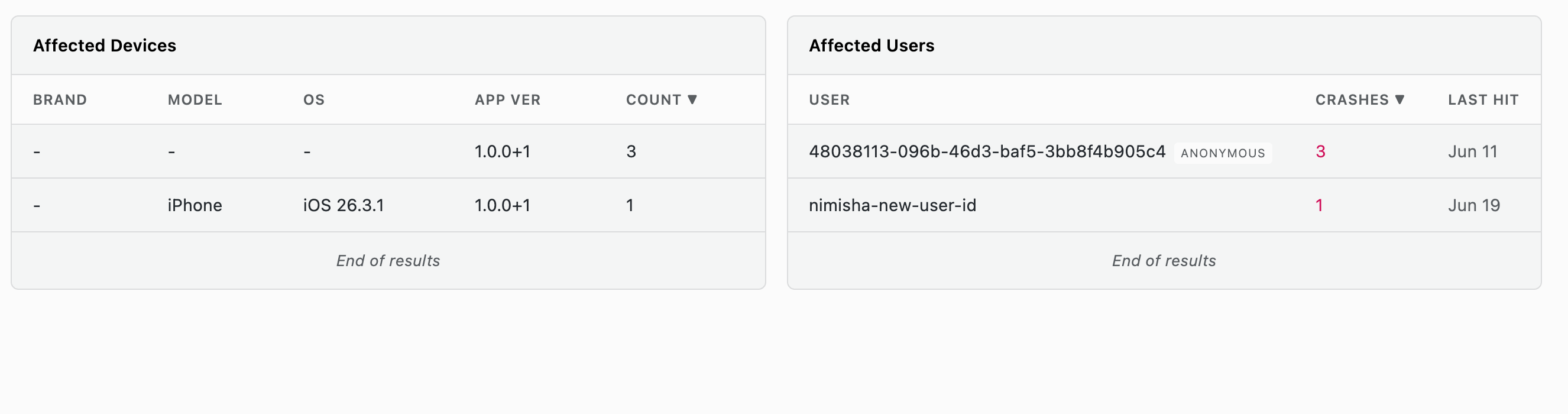
Same structure as Crashes: device/OS/app-version breakdown and per-user occurrence counts.
Use View Session Timeline to open the full session where the error was thrown.
Use Cases
Prioritizing Non-Fatal Fixes
- Sort the Error List by Occurrences
- Check Sessions/Users to weigh reach vs. raw count
- Open the top group and use Stack Trace + Breadcrumbs to reproduce it
Separating Framework Bugs from App Bugs
- Filter by Type =
flutter_errorto isolate framework-level issues (layout overflows,setStatemisuse) versusuncaught_error(application-level exceptions) - Triage each category with a different owner if useful
FAQ
What is the difference between an error and a crash in RUM?
An error is non-fatal: the app caught it or survived it, and the user kept going. A crash terminated the app. They are separate tabs because they need different responses, and a spike in errors often precedes a spike in crashes.
Why is every error badged JS Error?
JS Error?On Flutter, errors come from above the platform layer, so Kind is always
JS Error, the badge name RUM shares across platforms even though no
JavaScript is involved. Use Type instead, which separates framework-level
errors from unhandled exceptions and errors your code reported explicitly.
Which errors should I fix first?
Rank by occurrences, then check how many distinct sessions and users each one affects. A high count concentrated in a few sessions is usually one user in a retry loop, while a lower count spread across many users is the more damaging problem.
Related Guides
- Getting Started - Interface layout and shared filters
- Crashes - Fatal crashes and symbolicated stack traces
- Sessions - Full session timeline for a specific occurrence
- traceX - Distributed tracing explorer
- logX - Log explorer with trace correlation