Custom Instrumentation
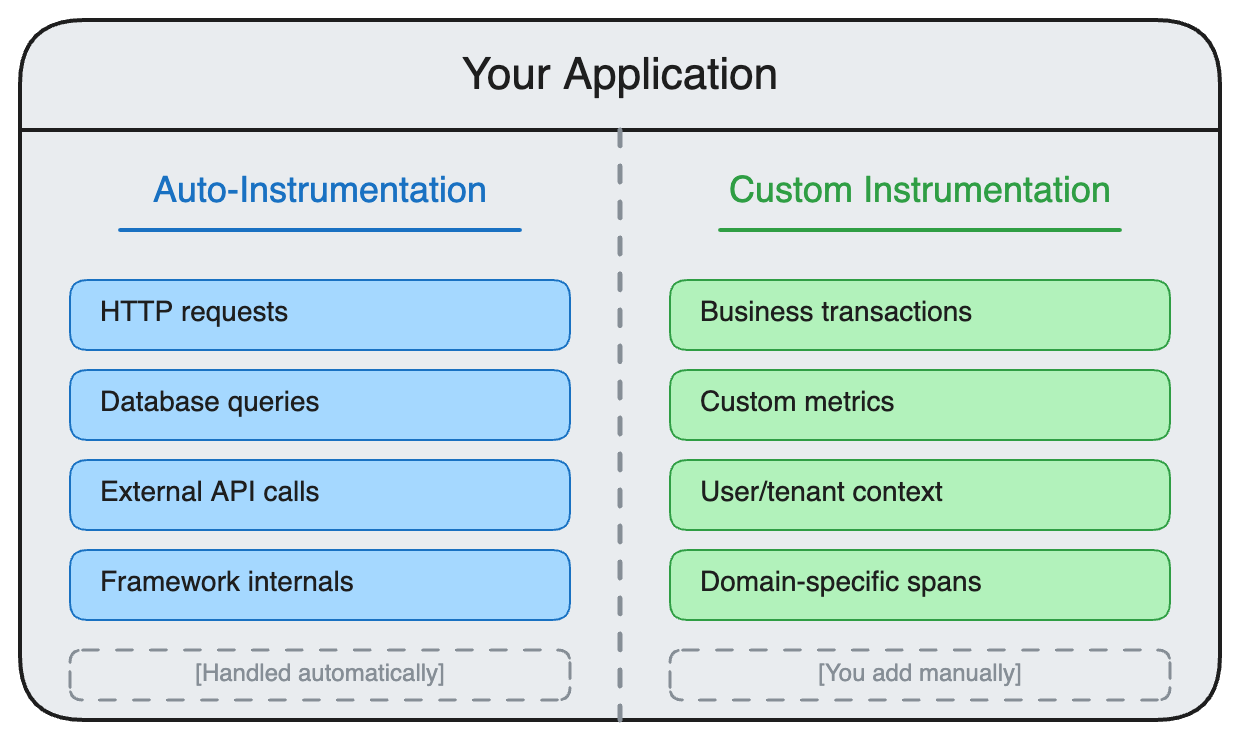
Custom instrumentation gives you fine-grained control over what telemetry is captured. Use it to track business-specific operations, add custom attributes, or instrument code that auto-instrumentation doesn't cover.
When to Use Custom Instrumentation
| Use Case | Recommendation |
|---|---|
| Track business transactions (orders, payments) | ✅ Custom instrumentation |
| Add user/tenant context to spans | ✅ Custom instrumentation |
| Measure custom business metrics | ✅ Custom instrumentation |
| Instrument internal libraries | ✅ Custom instrumentation |
| Quick setup with standard frameworks | ❌ Use auto-instrumentation first |
Languages
| Language | Guide | Key APIs |
|---|---|---|
| Python | Python | tracer.start_as_current_span(), meter.create_counter() |
| Go | Go | tracer.Start(), meter.Int64Counter() |
| Java | Java | tracer.spanBuilder(), meter.counterBuilder() |
| JavaScript (Node) | Node.js | tracer.startActiveSpan(), meter.createCounter() |
| JavaScript (Browser) | Browser | tracer.startActiveSpan(), browser-specific context |
| Ruby | Ruby | tracer.in_span(), meter.create_counter() |
| PHP | PHP | $tracer->spanBuilder(), $meter->createCounter() |
| C# / .NET | C# | tracer.StartActiveSpan(), meter.CreateCounter() |
| Rust | Rust | tracer.start(), meter.u64_counter() |
Common Patterns
Adding Custom Spans
Wrap business-critical operations to track their duration and success:
# Python example
with tracer.start_as_current_span("process_payment") as span:
    span.set_attribute("payment.amount", amount)
    span.set_attribute("payment.currency", "USD")
    result = payment_gateway.charge(amount)
    span.set_attribute("payment.success", result.success)
Adding Context to Auto-Instrumented Spans
Enrich existing spans with business context:
from opentelemetry import trace

span = trace.get_current_span()
span.set_attribute("user.id", user_id)
span.set_attribute("tenant.id", tenant_id)
span.set_attribute("feature.flag", "new_checkout_v2")
Custom Metrics
Track business KPIs alongside technical metrics:
order_counter = meter.create_counter(
    "orders.completed",
    description="Number of completed orders"
)

order_counter.add(1, {"region": "us-east", "plan": "premium"})
Combining Auto + Custom Instrumentation
The most effective approach combines both:
Best Practices
- Start with auto-instrumentation - Get baseline observability first
- Add custom spans for business operations - Orders, payments, user actions
- Use semantic conventions - Follow OTel semantic conventions for attribute names
- Keep span names static - Use attributes for dynamic values, not span names
- Set appropriate span status - Mark errors with
span.set_status(StatusCode.ERROR)
Next Steps
- Set up auto-instrumentation if you haven't already
- Choose your language from the table above
- Identify key business operations to instrument
Was this page helpful?